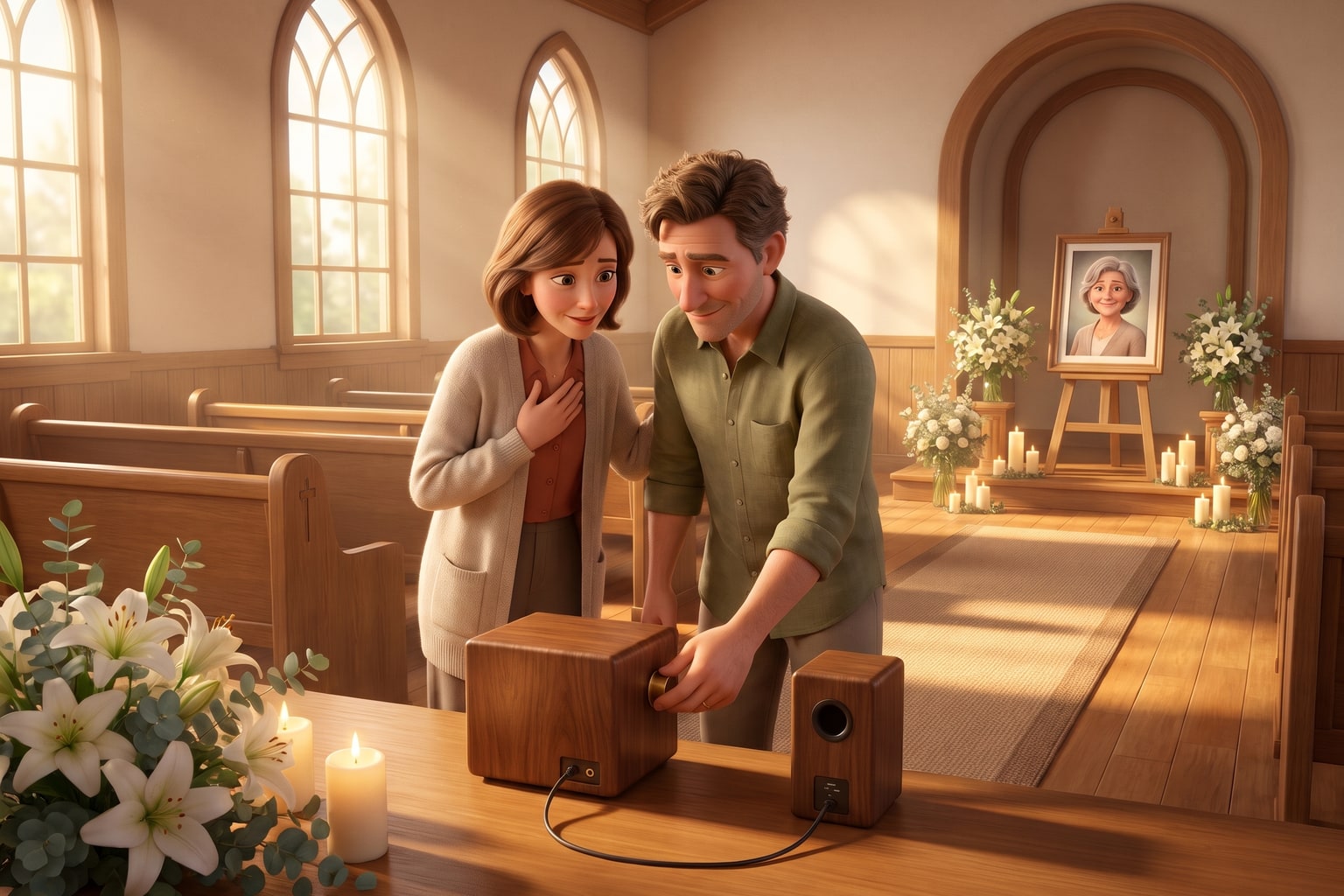
Instead of juggling messages, music links, and last-minute instructions, prepare one approved song, one playback plan, and one backup before the funeral. To play a custom song at a funeral service, agree on its place with the officiant, confirm the venue’s audio requirements, and test the actual recording through the system guests will hear.
The short version
- To play custom song at funeral service, confirm the venue’s requirements before choosing a playback method.
- FreeCustomSong creates personalized memorial songs with lyrics, music, and vocals drawn from the details you share.
- Give one operator the approved recording, an exact cue, and a tested backup.
- Choose a listening moment that lets guests hear the words without competing announcements.
Why This Matters
A memorial song gives familiar details somewhere to live: the nickname only family used, the garden someone tended, or the phrase they said at every goodbye. Through FreeCustomSong, we turn those memories into personalized lyrics, music, and vocals.
Our personalized memorial songs are for people who want to honor someone they love through their own memories. The recording is one part of that tribute. The other part is making room for everyone to hear it.
A song that works beautifully in private still needs a clear place in the service. Decide who introduces it, who starts it, and what happens when it ends, so those responsibilities do not fall on you while you are grieving.
Before You Start
- Get permission and a service slot. Ask the funeral director or officiant whether a recorded personal song fits the ceremony, where it belongs, and how much time is available. For a religious service, confirm any requirements for lyrics or musical selections.
- Confirm the playback requirements. Ask the person operating the sound system which audio formats and transfer methods they accept, what equipment they provide, and whether they need the recording beforehand. Ask separately about including it in a livestream or recording.
- Choose a family decision-maker and a sound operator. Have someone approve names, lyrics, and sensitive details, then give playback responsibility to a person who is comfortable handling it. The easily missed problem: a link that plays on your phone does not prove the venue can access it or use it offline.
If you are still choosing a service to create the tribute, our guide to custom memorial song services covers that earlier decision. For ceremony planning, start with what the venue needs rather than assuming every music-sharing method will work.
The Memorial Song Brief
The strongest starting point is a handful of details that make the person recognizable to the people who knew them.
- Choose the song’s perspective. Decide whether the words should sound like a message from you, a tribute from the family, or a reflection about the person’s life. Keep the perspective clear rather than switching between speakers without explanation.
- Write down specific memories. Include a familiar saying, an ordinary ritual, and something the person taught you. Use details you are comfortable sharing with everyone attending.
- Check names and pronunciation. Write names exactly as they should appear, and explain unfamiliar pronunciations in plain language. Ask a relative to check anything you are unsure about.
- Set emotional boundaries. State whether you want faith language, gentle humor, gratitude, sorrow, or a mixture. Name subjects you want left out, especially private medical details or difficult family history.
- Explain the setting. Say the song is intended for a funeral or memorial service. Describe the feeling you want guests to leave with rather than trying to prescribe every musical detail.
For a FreeCustomSong memorial song, share the memories you want reflected in the personalized lyrics, music, and vocals. You do not need to make your notes rhyme. A plain sentence about Sunday pancakes or a well-worn fishing hat gives a song something personal to hold.
Expected result: You have one agreed brief that captures the person without asking a song to include every milestone or speak for every relationship.
The Ceremony Playback Plan
Choose the song’s role before planning the technical handoff. A dedicated listening moment and a slideshow serve different purposes, even when they use the same recording.
| Placement | Best for | What it gives you | What to plan around |
|---|---|---|---|
| Dedicated reflection | Letting guests focus on personal lyrics | A clear moment centered on the tribute | The song needs its own space in the service |
| Photo slideshow | Connecting the song with shared memories | Pictures and music tell the story together | Guests divide their attention between images and words |
| Arrival or departure | Creating a personal welcome or goodbye | The song accompanies a transition | Conversation and movement can make lyrics harder to follow |
- Agree on the placement. Tell the officiant whether the words need everyone’s attention. If they do, choose a reflection rather than treating the song as background music.
- Confirm the allowed duration. Compare the actual recording length with the time assigned. If they do not match, discuss a different placement or an approved edit before the service.
- Write the introduction. Keep it brief and factual. Identify who the song honors and, if helpful, whose memories shaped it. The introduction does not need to explain every lyric.
- Write the start cue and ending instruction. Name the spoken phrase or program event that signals playback. Say whether the operator should let the recording finish or use a previously approved stopping point.
- Assign the next action. Specify who speaks next, whether there is a pause, or whether guests leave quietly. Do not make the sound operator guess from the room’s mood.
Expected result: The officiant and operator can describe exactly where the song begins and what follows it.
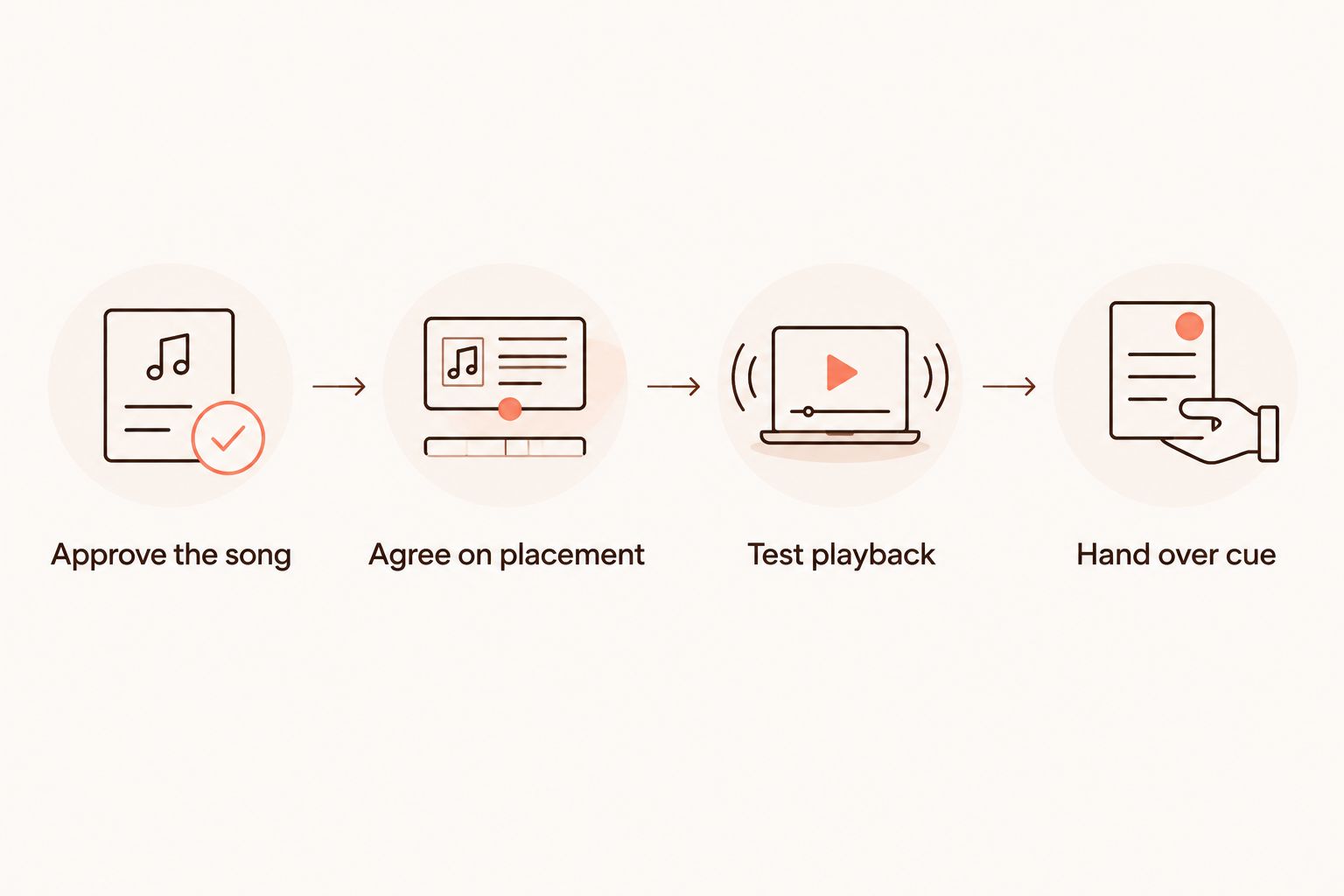
A practical handoff follows the same order as the service: approve the song, agree on its place, test playback, and hand over the cue. Keep that sequence simple enough for someone else to follow without calling you.
The Audio Handoff and Sound Check
The goal is to remove avoidable decisions from the day itself.
- Approve the recording by listening all the way through. Check names, relationships, pronunciation, and the ending. Ask the family decision-maker to approve the same version you will send to the venue.
- Supply the recording in the venue’s requested format. Ask how to obtain or provide a compatible copy if needed. Do not assume a listening page, shared link, and audio file are interchangeable.
- Identify the approved version clearly. Use a descriptive filename and include the song title and recording length in the handoff message. Tell the operator which earlier versions to disregard.
- Prepare 2 copies in agreed locations. Give the venue its working copy and keep a separate backup in a form its equipment can use. Test access to both rather than relying on two links to the same inaccessible source.
- Listen through the actual sound system. Check from a guest seat, not just beside the operator. Confirm that the words are understandable and that the opening and ending play as intended.
- Rehearse the cue. Have the operator start the song from the agreed signal. For phone-based playback, silence notifications and check the audio connection before guests arrive.
Expected result: One named operator has the approved recording, a tested playback method, a usable backup, and written instructions.
Optional rush delivery exists for FreeCustomSong orders, but the ceremony plan still needs time for listening and a venue sound check. Confirm the current delivery arrangements before making the song an essential part of a fixed service program.
Use the Song With a Memorial Slideshow
A slideshow is a useful alternative when photographs carry as much of the story as the words. It also adds a separate technical task: the finished video needs testing, not just its soundtrack.
- Choose photos that support the tribute. Use images that connect with the person’s relationships, habits, and everyday life. Ask permission before including anything private or distressing.
- Build around the approved recording. Match the slideshow to the actual audio duration. Avoid speeding through meaningful photographs just to fit every image someone sends.
- Leave room for the lyrics. Keep captions short, and avoid placing a long written tribute over a verse guests need to hear.
- Confirm the video requirements. Ask the venue about the screen, video format, sound connection, and how the finished slideshow should be delivered.
- Test the finished video from beginning to end. Check picture and sound together on the venue’s playback setup. Keep an audio-only backup if the venue can use it.
Expected result: The venue receives a finished, tested slideshow rather than a folder of photographs and instructions to assemble it.
For a livestream, ask the person managing the broadcast to confirm how the song reaches remote viewers. Hearing it in the room does not establish that it is present in the broadcast audio.
Troubleshooting Without Adding More Stress
The shared link will not open
Ask the operator what the error says and whether access requires a login or permission. Arrange a venue-approved copy rather than repeatedly forwarding the same link. Test the replacement before treating the issue as solved.
The lyrics are difficult to understand
Listen from the seating area with the operator. Ask them to check the playback level and sound-system settings, then test again. If conversation is competing with the words, move the song to a dedicated listening moment.
The wrong version is queued
Stop the handoff and identify the approved file by name and recording length. Ask the operator to remove superseded versions from the service playlist. Do not rely on descriptions such as the newer one or the emotional version.
The song does not fit the service slot
Speak with the officiant before editing. Agree on a longer slot, a different placement, or a deliberate excerpt with a suitable ending. Do not leave an unplanned fade to whoever happens to be operating the sound.
Playback fails during the service
Give the operator permission in advance to try the tested backup or move to an agreed spoken tribute. A technical failure does not have to become a public troubleshooting session. The officiant should know how to continue without asking a grieving relative to solve it.
Customize the Tribute Around Your Family
Not every meaningful song needs its first listening in a room full of people. You can share it privately with close relatives, reserve it for a later gathering, or use it during a quiet reflection after the formal service.
For a faith-centered tribute, explain which beliefs and language belong to the person being honored. For a complicated relationship, ask for truthful gratitude without pretending everything was simple. You are allowed to make something tender without making it perfect.
If the ceremony is approaching and the recording is not ready, keep a spoken tribute in the program. Let the song become a later keepsake rather than making the whole service depend on an unfinished piece.
FAQ
Can I play a custom song at a funeral service?
Ask the funeral director or officiant to approve the song and its placement in the service. Then confirm the venue’s audio requirements and give the operator the approved recording and a clear start cue.
What should I include in a personalized memorial song?
Include specific memories, familiar sayings, important relationships, and the feeling you want the tribute to express. Check names and pronunciation, and identify anything private that should stay out of the lyrics.
Can FreeCustomSong create a memorial song with vocals?
Yes. FreeCustomSong creates personalized memorial songs with custom lyrics, music, and vocals based on the details you share about your loved one.
Should the song play during a slideshow or on its own?
Choose a dedicated listening moment when the lyrics are the main tribute, or a slideshow when photographs are equally central. A slideshow adds video preparation and testing to the audio handoff.
Can I play the song from my phone?
Use a phone only after the venue confirms the connection and tests playback through its system. Silence notifications and agree on a backup that the operator can use.
Can the memorial song be included in a funeral livestream?
Confirm livestream permissions for the recording and ask the broadcast operator to test the song in the outgoing audio. Successful playback in the room does not confirm successful playback online.
What if I am not ready to share the song at the funeral?
You can keep the song private or share it at a later remembrance. There is no need to make a public listening part of the ceremony if that does not feel right for your family.
One Last Thing
Put the playback instructions in someone else’s hands before the day begins. You can choose the memories without also carrying the responsibility for cables, cues, and volume.
One small detail can anchor the whole tribute. The way someone answered the phone or saved you the corner piece of cake can say more than a list of achievements.
Related Guides
- How soon after a loss is it okay to order a memorial song?
- Is a personalized song worth it as a memorial gift?
When you feel ready, bring us a memory you want to keep close. We can help turn it into a personal song for someone you love.
Create a song in their memory
Share the memories you want reflected in personalized lyrics, music, and vocals.